1
AT-S20 User’s Guide
Note
Although defaults are adequate for most installations, changing
defaults should be done only if the network administrator
understands the IEEE 802.1d standard.
&RQILJXULQJ
6SDQQLQJ#7UHH
3DUDPHWHUV
0HQX1# Bridging Spanning tree parameters
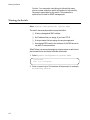
Default spanning tree parameters are provided; you do not need to
change them.
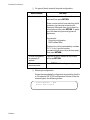
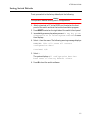
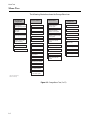
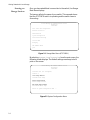
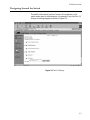
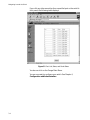
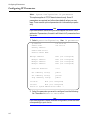
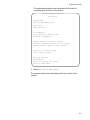
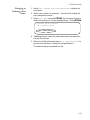
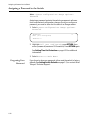
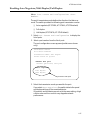
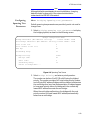
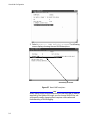
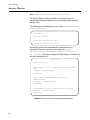
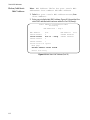
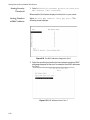
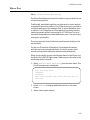
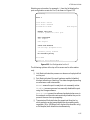
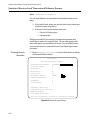
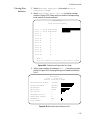
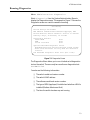
1. Select Bridging, spanning tree parameters to display
the bridging options, as shown in the following screen.
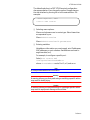
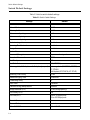
Bridge configuration Menu
Bridge Identifier (Mac Address: Priority)
f32c20 5474b5: 32768
Root Bridge Identifier (Mac Address: Priority) f32c00 535b97: 32768
Cost to the root
0
Port closest to the root
1
Max Age
20
Forwarding Delay
15
Bridge Priority:
32768
Max age time:
20
Hello time:
2
Forwarding delay:
15
Return to bridge Menu ...
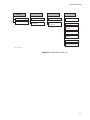
Figure 4-4 Spanning Tree Screen
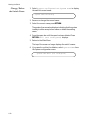
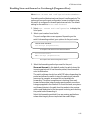
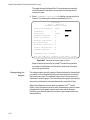
2. Select Bridge Priority and enter a priority number.
The number can be from 0 to 65,535 with 0 being the highest
priority. The number consists of a 2-byte bridge priority number
and a 6-byte MAC address. Bridges use this number to determine
the root bridge for a loop-free implementation. If bridges happen
to have equal priority values, the bridge with the numerically
lowest MAC address becomes the root bridge.
When the root bridge malfunctions, the bridge with the next
priority number (the next lowest MAC address) automatically
takes over as root bridge.
4-29