1
Getting started
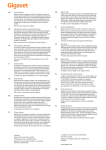
2.5 Keys/LED’s
Handset
1. Display
2. Menu / OK key
3. Down / call log key
4. Phonebook key
5. Alphanumeric keys
6. INT key
7. On/off / flash key
8. Keypad lock
9. Handsfree key
10. On-hook / off-hook key
11. Up / redial / pause key
12. Mute / delete key
1
12
2
11
3
10
4
9
5
8
6
7
- 2D Handset Handset display
In standby mode, the display shows the time and the
handset number:
12-05 1
To toggle between handset name and time, press and
hold the ‘0’ key.
Base
13. Delete key
14. Stop key
15. Volume up key
16. Skip forward key
17. Answering on/off LED
18. Play / pause key
19. Skip back key
20. Volume down key
21. Paging key
22. Answering machine on/off key
- 2E Display -
22
13
21
14
20
15
19
16
18
17
- 2F Base -
6