1
3M™ Digital Library Assistant User Guide
Selecting a language
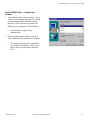
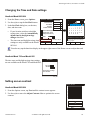
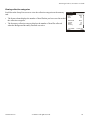
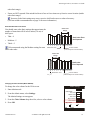
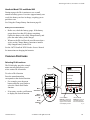
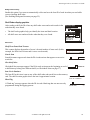
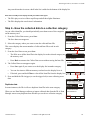
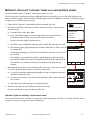
You can display the DLA's user interface in different languages.
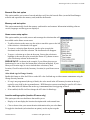
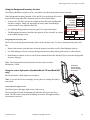
While in the Options: General screen, use the stylus to open the Language pop-up
menu and select a language.
Only the languages that you selected when you installed DLA software on the
Data Manager computer will appear in the Language pop-up menu.
Options: General
Sound volume: Medium
Item Width: Medium
Language: English
Reader Timeout: English
10
Items ordered right-to-left
Français
Italiano
“Check Shelf” alerts
Background inventory
Verify:
Set Clock
6/14/05 4:29 pm
Next
Prev
Home
DLA_032
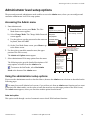
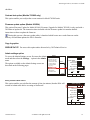
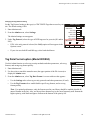
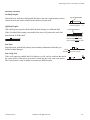
Changing the Reader Timeout setting
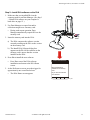
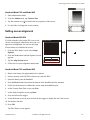
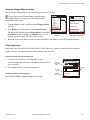
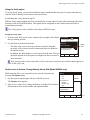
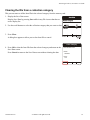
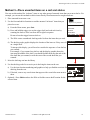
This setting only affects the trigger lock feature. The reader timeout setting
determines how quickly the DLA releases the trigger-lock function. (See Using the
DLA trigger lock on page 51.)
When the DLA trigger lock is activated, if the DLA does not read a new tag within
the time selected in the reader timeout menu, the trigger lock shuts off and the
DLA stops trying to read tags.
The reader timeout range is from 5 to 30 seconds.
Options: General
Sound volume: Medium
Item Width: Medium
Language: English
Reader Timeout: 10
Items ordered right-to-left
“Check Shelf” alerts
Background inventory
Verify:
Set Clock
Prev
6/14/05 4:29 pm
Next
Home
DLA_044
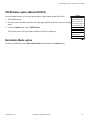
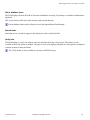
Changing the Items Order Right-to-left setting
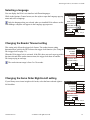
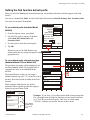
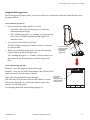
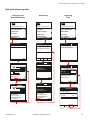
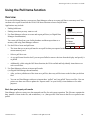
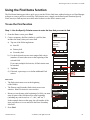
If your library stores items in right-to-left order, select the Items ordered right-toleft checkbox.
Options: General
Sound volume: Medium
Item Width: Medium
Language: English
Reader Timeout: 10
Items ordered right-to-left
“Check Shelf” alerts
Background inventory
Verify:
Set Clock
Prev
Next
6/14/05 4:29 pm
Home
DLA_044
78-8126-8418-7e
© 3M 2012. All rights reserved.
21