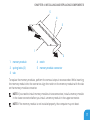
1
CHAPTER 4: INSTALLING AND REPLACING COMPONENTS
his chapter provides uidelines and instructions for increasin the processin power
by upgrading equipment. You can purchase components for your computer at dell.com or
alienware.com.
NOTE: See the Service Manual at support.dell.com/manuals for installation instructions
of all serviceable components.
Before You Begin
his section provides procedures for removin and installin the components in your laptop.
Unless otherwise noted, each procedure assumes that the following conditions exist:
• You have performed the steps in “Turnin Of Your Computer” and “Before Workin Inside
Your Computer” in this section.
• You have read the safety information that shipped with your computer.
• A component can be replaced or—if purchased separately—installed by performing the
removal procedure in reverse order.
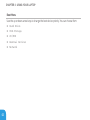
he procedures in this section may require the followin tools:
• Small lat-blade screwdriver
• Phillips screwdriver
66