1
W O L F C O N V E C T I O N M I C R O W A V E M A N UA L O P E R AT I O N
M A N UA L C O N V E C T I O N
The oven should not be used without the
turntable in place, or restricted so that it
cannot rotate. You may remove the turntable
when preheating the oven and when preparing
food to be cooked directly on the turntable.
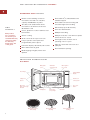
The oven cabinet, cavity, door, turntable,
turntable support, racks and dishes will
become hot. To PREVENT BURNS, use
thick oven gloves when removing food or
turntable from the oven.
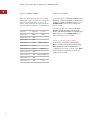
T O P R E H E AT A N D C O O K
Your oven can be programmed to combine
preheating and convection cooking operations.
You can preheat to the same temperature as
the convection temperature or change to a
higher or lower temperature.
Suppose you want to preheat to 350˚F
(175˚C), and then cook 25 minutes at 375˚F
(190˚C) convection:
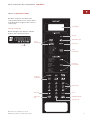
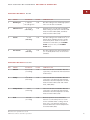
1) Touch PREHEAT.
2) Select temperature by touching the correct
number.
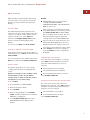
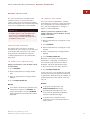
CONVECTION COOKING
This feature has hot air that is circulated
throughout the oven cavity to brown and crisp
foods quickly and evenly. This oven can be
programmed for ten different convection
cooking temperatures for up to 99 minutes,
99 seconds.
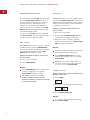
TO C O O K W I T H C O N V E C T I O N
Suppose you want to cook at 350˚F (175˚C)
for 20 minutes:
3) Touch CONVEC.
4) Select temperature by touching the correct
number.
5) Enter cooking time by touching numbers
2 5 0 0.
6) Touch START/QUICK ON.
When the oven reaches the programmed
temperature, a signal will sound 4 times*.
The oven will stop, and directions will be
displayed. Follow the indicated message.
7) Place food in the oven. Close the door.
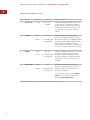
1) Touch CONVEC.
8) Touch START/QUICK ON.
2) Select temperature by touching number
pad.
*If the oven door is not opened, the oven will
automatically hold at the preheat temperature
for 30 minutes. After this time has elapsed, an
audible signal will sound, and the oven will
turn off.
3) Enter cooking time by touching numbers
2 0 0 0.
4) Touch START/QUICK ON.
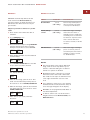
NOTES:
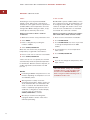
If you wish to know the programmed oven
temperature, simply touch CONVEC. As
long as your finger is touching CONVEC,
the programmed oven temperature will be
displayed.
NOTES:
To program only preheat, touch
START/QUICK ON after step 2.
Preheating will start. When the oven
reaches the programmed temperature,
follow the indicated message.
To preheat and cook with the same
temperature, enter same temperature in
steps 2 and 4.
Dimensions in parentheses are in
millimeters unless otherwise specified.
27