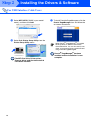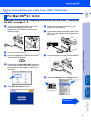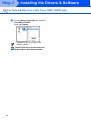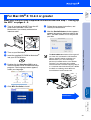
1
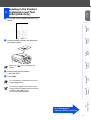
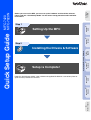
Fill out the Product Registration and Test
Sheet.
2
Place the sheet face up in the Automatic
Document Feeder.
(Fax) is illuminated in
3
Enter the toll-free fax number:
1-877-268-9575.
4
Press Start.
Macintosh®
USB
Make sure
Green.
Windows®
Network
Windows
NT® 4.0
Parallel
Windows®
Parallel
Windows®
USB
1
Setting Up
the MFC
Sending in the Product
9 Registration and Test
Sheet (USA Only)
You will receive a confirmation fax of your
Product Registration.
For
Network Users
Macintosh®
Network
You can also register your product online
using the On-Line Registration link from the
installation CD-ROM or go to
www.brother.com/registration
Go to Next page to
install the drivers & software
9