1
Connecting Your Device
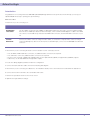
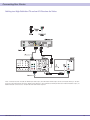
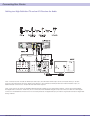
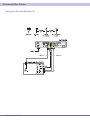
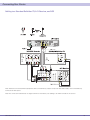
Cabling to an HDTV for Video
For the best possible HDTV video quality:
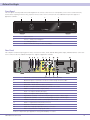
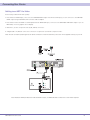
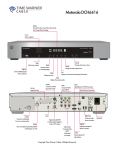
1. If the TV has an HDMI input, connect it to the QIP7100 HDMI output. If the TV has a DVI input, you can connect it to the QIP7100
HDMI output using and HDMI-to-DVI converter cable or adapter.
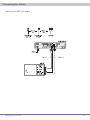
2.If the TV has neither an HDMI nor a DVI input but has an IEEE-1394 input, connect it to the QIP7100’s IEEE-1394 output. If you use
IEEE-1394, on-screen graphics do not display.
3. Otherwise, use the component video (Y, Pb, and Pr) connectors.
4 A digital audio or L/R audio connection connection is required for sound with component video.
Note: Be sure to match up each signal to the same connection on the TV. Otherwise, the colors will not appear correctly on your TV.
Note: Because HDMI provides both video and audio output, no additional audio connections to the TV are required.
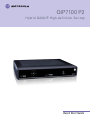
QIP7100 Quick Start Guide
3