1
Contents
Chapter 1: Getting Started
4
About This Document
4
Overview of the Cisco Small Business Pro IP Phones
6
Caring for Your Phone
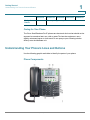
Understanding Your Phone’s Lines and Buttons
Phone Components
7
7
7
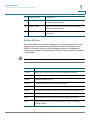
Softkey Buttons
10
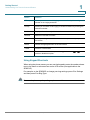
Using Keypad Shortcuts
11
Chapter 2: Installing Your Phone
12
Before You Begin
12
Phone Connections
13
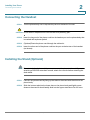
Connecting the Handset
14
Installing the Stand (Optional)
14
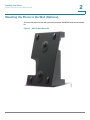
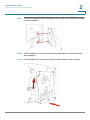
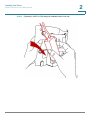
Mounting the Phone to the Wall (Optional)
15
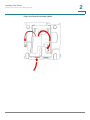
Reverse the Handset Retention Tab
20
Connecting the Power
20
Connecting Your Phone to the Network
21
Connecting the Phone to the Wireless Network
21
Connecting a PC to Your Phone (Optional)
22
Connecting Wired and Wireless Headsets (Optional)
22
Verifying Phone Startup
23
Upgrading Your Phone’s Firmware
24
Chapter 3: Using Basic Phone Functions
Using Phone Hardware and Accessories
25
26
Using the Speakerphone
26
Using the Headset with Your IP Phone
26
Switching Between the Handset/Headset/Speakerphone During a Call
26
Adjusting Call Volume and Muting
27
Adjusting Call Volume
27
Cisco Small Business Pro IP Phone SPA50X User Guide (SPCP)
1