1
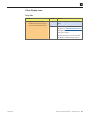
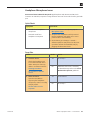
App Issues
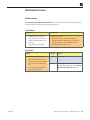
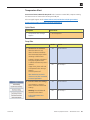
Known-Good Parts & Materials Required: Dock Connector to USB Cable, iOS diagnostics,
computer running the latest version of iTunes with a known-good USB port
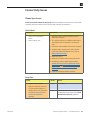
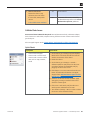
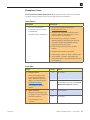
Quick Check
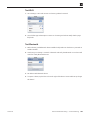
Symptoms
Quick Check
• App not functioning correctly
• App unexpectedly quits
(returns to Home screen)
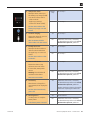
1. Restart the device.
2. Verify that the app is compatible with the device.
3. Launch App Store on device and tap “Updates” in
bottom right corner. If any updates are available,
tap “Update All” in upper right corner.
4. On the device, go to Settings > General >
Software Update to verify device has the most
up-to-date software. If unavailable, verify by
plugging the device into iTunes.
5. Remove and reinstall affected app.
Note: If multiple apps are having similar issues,
go to Deep Dive.
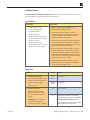
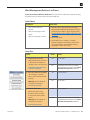
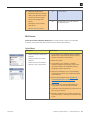
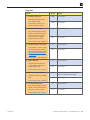
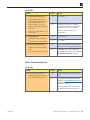
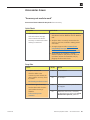
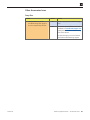
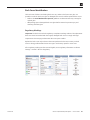
Deep Dive
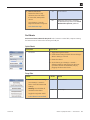
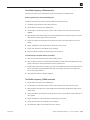
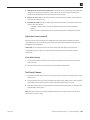
Check
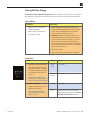
1. Diagnose unsupported apps.
Result
Yes
Use diagnostics to determine
any apps that are unsupported
on the device.
Are there unsupported apps
listed?
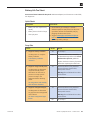
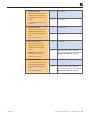
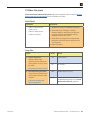
2. Diagnose unresponsive apps.
Use diagnostics to determine
any apps that are unresponsive.
Are there unresponsive apps
listed?
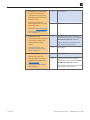
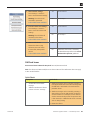
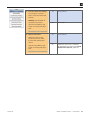
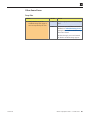
3. Erase all content and settings.
Action
Restore the device using the latest
version of iTunes. If restore fails,
attempt DFU restore.
Warning: This will delete all user data
on the device.
No
Go to step 2.
Yes
Instruct user how to quit processes on
the device.
No
Go to step 3.
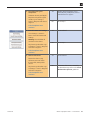
Yes
Issue resolved.
No
Go to step 4.
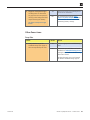
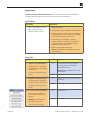
Go to Settings > General >
Reset > Erase All Content and
Settings.
Warning: This will delete all
user data on the device.
Is the app issue resolved?
2012-02-21
iPhone 4 Symptom Charts — Software Issues 56