1
DOTH-300
Date
2013-07-15
APPLICATION
MANUAL
Rev
1.04
Page
1-54
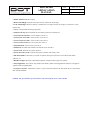
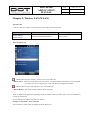
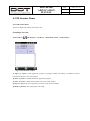
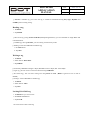
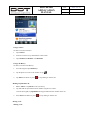
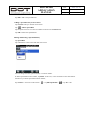
[CONFIG]: Tap to confirm and adjust settings.
If tap OK in the system tray, program will be closed and exits.
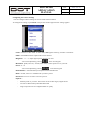
Through MENU, other functions such as tag read/write can be done.
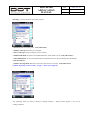
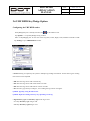
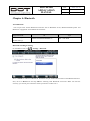
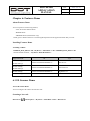
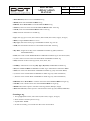
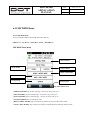
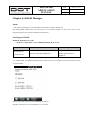
Reading a RFID tag
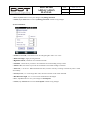
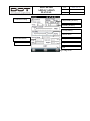
Tag count
Start button
Tag ID list
Timeout
CLEAR button
Max power setting
EXIT button
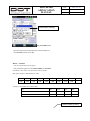
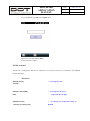
Fig. INVENTORY screen
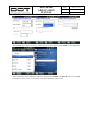
Normal/Multi/Single/Custom mode is similar to a form.
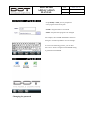
Tap INVENTORY to read tags. Once inventory activated and in the middle of executing, INVENTORY
button will be changed to STOP. If tap STOP, RFID reader will stop reading operation.
Tag ID list will show PC/EPC value and Co... means accumulated count.
If tap MASK to select the tag inventory and Tap CLEAR to clear the data you scanned.
If Timeout is zero, there is no timeout. Its unit is second.
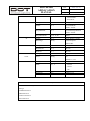
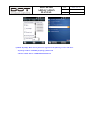
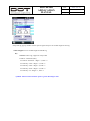
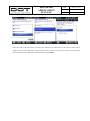
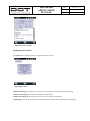
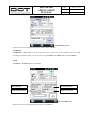
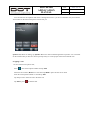
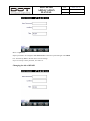
Max power output is attenuated up to 9 dB.
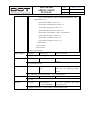
Att9
Att8
Att7
Att6
Att5
Att4
Att3
Att2
Att1
-9dB
-8dB
-7dB
-6dB
-5dB
-4dB
-3dB
-2dB
-1dB
If tap EXIT in the system tray, program will be changed Main Menu.
Max