1
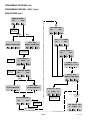
PROGRAMMING THE BREWER (cont.)
PROGRAMMING FUNCTIONS - LEVEL 2 (cont.)
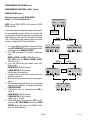
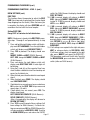
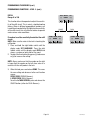
FACTORY DEFAULTS
This function allows the operator to erase ALL of the
previously entered recipes and ad messages. Factory-set
default values will replace ALL previous settings.
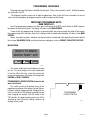
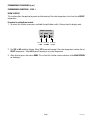
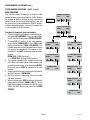
Procedure to set factory defaults:
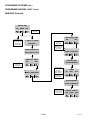
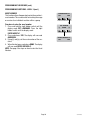
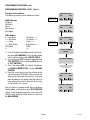
1. Press and hold the right hidden switch until the
display reads SET LANGUAGE. Press the right
hidden switch until the display reads FACTORY
DEFAULTS.
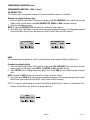
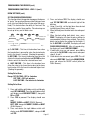
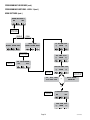
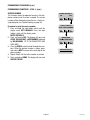
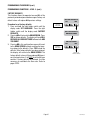
2.Pressing NO will return to the MAIN SCREEN. Press
YES to restore defaults. The display will read WILL
REPLACE ALL BREW SETTINGS followed with ARE
YOU SURE?
3.Pressing NO in this confirmation screen will revert
to the MAIN SCREEN without resetting the brewing setups to the defaults. Press YES to load the
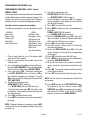
defaults. After factory defaults have been restored,
the display will return to the MAIN SCREEN. The
factory default valves will have replaced ALL previously entered values. It will NOT reset the life brew
counter. If factory defaults are restored, it will be
necessary to recalibrate the flow rates. Refer to
pages 22-23.
Page 35
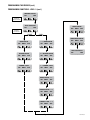
FACTORY DEFAULTS
NO
YES
PRESSING NO WILL
RETURN TO
MAIN SCREEN
WILL REPLACE ALL
BREW SETTINGS
ARE YOU SURE?
NO
YES
PRESSING NO WILL
RETURN TO
MAIN SCREEN
REPLACES ALL
PREVIOUS SETTINGS
41344 112508