1
Status Codes
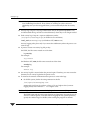
Recommended Action: Verify that all NetBackup software is at the same version level. If
that is not the problem, create activity log directories for bpdbm and admin. Then, retry
the operation and examine the resulting activity logs.
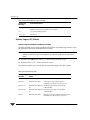
Status Code: 226
Message: the entity already exists
Explanation: The configuration already has an entity with the same name or definition.
For example, you see this status if you try to add a new class when an existing class has
the same name or definition (attributes, clients, and so on).
Recommended Action: Correct your request and re-execute the command.
Status Code: 227
Message: no entity was found
Explanation: The item requested was not in the catalog. For example, the entity could be a
file or class information.
Recommended Action: A common cause for this problem is a query that has no matching
images. Specify different parameters or options for the operation and try it again.
Status Code: 228
Message: unable to process request
Explanation: An inconsistency exists in the catalog or a request was made that would be
improper to satisfy.
Recommended Action:
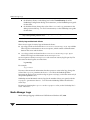
1. If this involves a media server, verify that its server list specifies the correct master
server. On a UNIX server, the master server is the first SERVER entry in the bp.conf
file. On a Windows NT/2000 server, the master is designated on the Servers tab in the
Master Server Properties dialog. To access this dialog, see “Using the Configure NetBackup Window” on page 57.
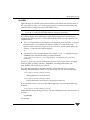
2. For detailed troubleshooting information, create a bpdbm activity log directory and
retry the operation. Then, check the resulting activity log.
Status Code: 229
Message: events out of sequence - image inconsistency
Explanation: A request was made which, if satisfied, would cause the image catalog to
become inconsistent.
Chapter 4, Status Codes and Messages
169