1
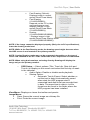
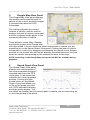
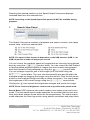
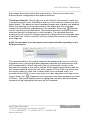
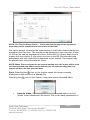
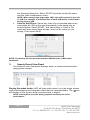
the following dialog box. Select START and then set the file name and the video compression codec. NOTE: When saving clips larger than 1GB, clips will be saved in the unit of 1GB. For example, 3 individual files of each 1GB will be created when saving clips of 3GB. Save As Self-Player: Saves any video clip of recorded data as an executable file. Set up the save parameters in the dialog box as pictured below. Select START, and select Save in. Enter a File name and then select Save as type (.exe) for the video you are saving. Then select SAVE. NOTE: The backup file size must be less than 2GB because of Microsoft limitations. G. Search Event View Panel The Search Event View panel displays alarm-in events searched while playing back images. Playing Recorded Audio: HDP will play audio when it is in the single-screen layout while playing back recorded video that has recorded audio. The icon will display on the screen while recorded audio is played. NOTE: Interruptions of audio during playback are likely due to PC performance. Page 18 Apollo Video Technology 14148 NE 190th Street – Woodinville, WA 98072 Toll Free: 888.288.8721; Tel: 425.483.7100; Fax: 425.483.7200 www.avt-usa.com