1
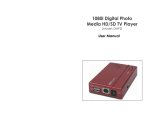
Hard Disk Player | User Guide 1.0 Introduction The MR Hard Disk Player (Model No. RR-HDP) and Hard Disk Player (HDP) Software are used to easily locate and download video from the removable hard disk drive utilizing a personal computer (PC). This manual describes the procedures for installation and operating the Hard Disk Player and Hard Disk Player Software (hereinafter “HDPlayer Program”) designed for the RoadRunner Digital Video Recorder (DVR) system. 1.1 Product Components 1.2 Hard Disk Player USB Cable Power Cord and Adapter HDPlayer Software Installation CD User’s Manual (this document) Minimum System Requirements Operating System: Microsoft Windows XP, Windows Vista, or Windows 7 CPU: Intel Pentium III 500MHz or higher RAM: 128MB or higher (256MB recommended) VGA: AGP, Video RAM 8MB or higher (800x600, 24bpp or higher) USB 2.0 high speed only Internet access (Required for playback of mapping and speed data when DVR is equipped with GPS) NOTE: Intel Premium Dual Core 2.2GHz or higher CPU is required for the proper audio playback. Apollo Video Technology 14148 NE 190th Street – Woodinville, WA 98072 Toll Free: 888.288.8721; Tel: 425.483.7100; Fax: 425.483.7200 www.avt-usa.com Page 3