1
CHAPTER 6
Provisioning Mobile Sales to a
Windows Mobile Device
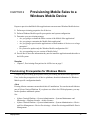
Prepare to provision the Mobile Sales application to one more more Windows Mobile devices.
1. Perform provisioning prequisites for all devices.
2. Perform Windows-Mobile-specific prerequisites and system configuration.
3. Determine your provisioning strategy.
• Are you going to evaluate the Demo version of the Mobile Sales application?
• Are you going to customize the Mobile Sales application?
• Are you going to provision the application to a small number of devices or to a large
enterprise?
• Do you need to update only the Windows Mobile configuration file?
• Are you upgrading to a new version of Mobile Sales?
4. Provide device users the information they need to install the application and subscribe to
the SAP system.
See also
• Chapter 3, Provisioning Prerequisites for All Devices on page 5
Provisioning Prerequisites for Windows Mobile
Complete the provisioning prerequisites before provisioning the Mobile Sales application.
First, look at the prerequisites for all device platforms, then this information for WindowsMobile-specific configuration details.
Afaria
Existing Afaria® customers can use their Afaria 6.5 installations. You can also install Afaria as
part of Sybase Unwired Platform. If you plan to use Afaria for OTA deployments, you may
need to purchase additional options.
See:
•
•
Sybase Unwired Platform > System Administration > Systems Maintenance and
Monitoring > Platform Licenses > Afaria Licenses
Sybase Unwired Platform > System Administration > System Administration > Device
and User Management > Device Provisioning > Afaria Provisioning and Mobile Device
Management
Deployment
17