1
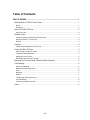
Table of Contents
5001 IP PHONE ......................................................................................................... 1
Mitel Networks™ 5001 IP User Guide ............................................................................... 1
Notice...............................................................................................................................................1
Disclaimer ........................................................................................................................................1
About The 5001 IP Phone ................................................................................................. 2
About Your Set ................................................................................................................................2
Related Topics .................................................................................................................. 2
Important Safety Instructions And Precautions ...............................................................................3
Supplying Power To The Phone......................................................................................................3
Notices .............................................................................................................................................3
Symbols ............................................................................................................................ 4
Initializing And Registering The Phone............................................................................................4
Using The 5001 IP Phone ................................................................................................. 4
About Using The 5001 IP Phone .....................................................................................................4
Telephone Status Indicators ............................................................................................................4
Adjusting Volume Levels .................................................................................................................5
Mounting The Phone On The Wall ..................................................................................................5
Mounting On The Wall Using A Bracket (North America)................................................... 5
Call Handling..................................................................................................................... 6
About Call Handling .........................................................................................................................6
Making And Answering Calls ...........................................................................................................6
Hold..................................................................................................................................................6
Message ..........................................................................................................................................7
Redial...............................................................................................................................................7
Transferring And Conferencing .......................................................................................................7
Call Forwarding................................................................................................................................8
Features Accessible By Code .........................................................................................................8
Index ............................................................................................................................... 11
- iii -