1
Using Your Xdock 10
Turning on Xdock or enabling Standby mode
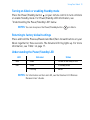
Press the Power/Standby button
on your remote control to turn on Xdock
or enable Standby mode. For Power/Standby LED information, see
“Understanding the Power/Standby LED” below.
NOTES You can also press the Power/Standby button
on Xdock.
Returning to factory default settings
Press and hold the Previous/Rewind and Next/Fast-forward buttons on your
Xdock together for three seconds. The Volume LED ring lights up. For more
information, see “FAQs” on page 17.
Understanding the Power/Standby LED
LED
Blue
Red
Behavior
Stable
Status
Turned on and ready for use.
Stable
In Standby mode.
Flashing
Muted.
NOTES For information on the Link LED, see the Creative X-Fi Wireless
Receiver User’s Guide.