1
Lamp test
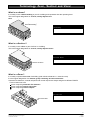
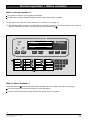
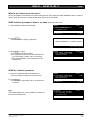
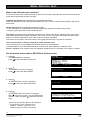
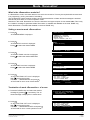
What is the «Lamp test» used for?
For testing the correct functioning of all indicators (LEDs), the display, and the alarm buzzer.
All visual and audible devices of the control console are activated for a few seconds.
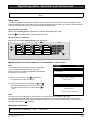
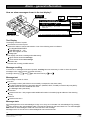
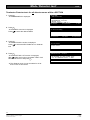
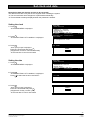
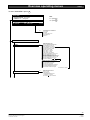
Initiate lamp test
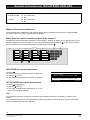
1. Press F2
Ü The MAIN MENU is displayed
With
choose the function «DEVICE level»
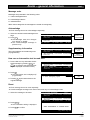
2. Press ok
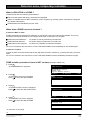
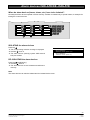
Ü The STATIONS overview is displayed
Press
to select the desired station (terminal)
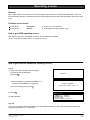
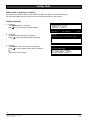
MAIN MENU
FIRE detection
EXTINGUISHING sections
CONTROL in- /outputs
GEOGRAPHICAL location
DEVICE level
logical address (CSX no.)
ok:select
F1:function
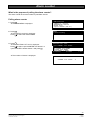
STATIONS
01 control unit CC1140 ground floor
02 terminal CT11 corridor 1st floor
ok:funct.unit
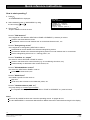
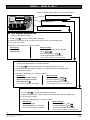
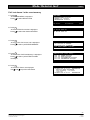
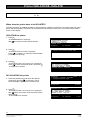
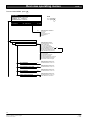
3. Press F1
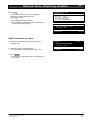
Ü The FUNCTION LIST ’terminal’ is displayed
Press
to select «initiate LAMP TEST» and press
ok
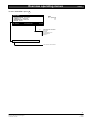
Ü The lamp test is initiated
C:end
F2:menu
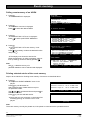
FUNCTION LIST ’terminal’:
poll INFORMATION ’terminal’
initiate LAMP TEST
set contrast of DISPLAY
set sound level of BUZZER
poll EVENT MEMORY (terminal)
ISOLATE PRINTER (terminal)
ok:execute
F1:stations
F1:function
C:end
32
Siemens Building Technologies
Cerberus Division
e1955
11.1999


![Cryogenic Freezer - User Manual [EN]](http://vs1.manualzilla.com/store/data/005841262_1-77d7cc3403393239d9b8135bfb24ee2c-150x150.png)