1
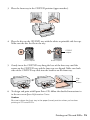
4. Press the H ink button again.
■
If another cartridge is low or expended, it moves to the _ position. Press
the H ink button again to see if any more cartridges are low or expended.
■
If no other cartridges are low or expended, the print head moves to the
replacement position.
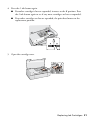
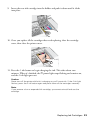
5. Open the cartridge cover.
Replacing Ink Cartridges 21