1
Hardware Components of the SIMATIC Box PC 620
3.5.3
Hard Disk Drive
The hard disk drive is used for the storage of large quantities of data. it is fitted in a
mounting which is easily exchangeable and damped against vibration.
!
3.5.4
Caution
Risk of loss of data and damage to the drive!
Drives are sensitive to vibrations and shock. Any vibrations occurring during
operation can lead to the loss of data or damage to the drive.
If you intend transporting the unit, switch it off, and wait until the drive has come to
rest (about 20 seconds) before you move it.
CD-ROM Drive (depending on the device equipment)
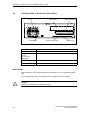
Depending on the device equipment, a CD-ROM drive is fitted in the SIMATIC Box
PC 620. The fitting depth of the SIMATIC PC is increased by 20 mm as a result.
The CD-ROM drive allows you to read CDs.
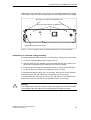
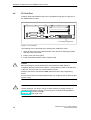
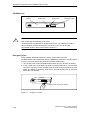
Opening the Drawer
By briefly pressing the eject button, the drawer springs out slightly. Now pull the
drawer out until it clicks into position.
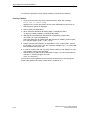
Inserting / Removing CDs
Now insert the CD in the drawer with the labeling face up, and press it firmly down
into the center of the turntable. To remove the CD, hold it by the edges and pull
upwards.
!
3-14
Caution
To avoid too much pressure on the open drawer, always hold the drawer at the
front with one hand when inserting or removing a CD.
SIMATIC Box PC 620 Operating Manual
C79000-Z7076-C638-04