1
Error Diagnosis and Reinstallation
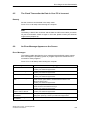
8. Confirm the end massage box.
9. Start the Windows setup program
LW:\IWIN98\SETUP.exe
LW is the drive where the recovery data have been copied.
10.After starting the setup.exe please follow the screen instructions.
6.10.3
Installing the Recovery CD for Microsoft Windows 2000
This CD contains encoded files which can only be transferred to a SIEMENS
SIMATIC PC.
The transfer of information is made with the program OEMSETUP.EXE on the
CD-ROM, or after booting from the CD–ROM with the recovery function.
After transferring the required data to the hard disk, the operating system can be
installed using the Windows 2000 setup program.
Windows 2000 Installation Sequence
If a Windows operating system is already installed or if the PC has been started
with a user created bootdisk, the transfer of the data takes place using the
program OEMSETUP.EXE. To do this, start the program OEMSETUP.EXE on the
recovery CD and continue the sequence as of point 5.
If there is no operating system installed, then please do the following:
1. Insert the Recovery CD in the CD-ROM drive and reboot the system.
2. To boot from the Windows 98 CD proceed as follows: When the message
Press <F2> to enter Setup
appears on the screen press the ESC key. After intialization a boot menu to select the boot options is displayed.
3. Select ”ATAPI CD-ROM Drive”.
4. When “Microsoft Windows 98-Startup Menu” is displayed, select
“1. Boot for CD-Recovery”.
5. You have to acknowledge the “SIEMENS End User License Agreement” with
the F8 function key. Pressing ESC allows you to decline the agreement and
cancels the installation.
6. In the next screens you can select the components which are to be copied from
the CD to the hard disk. Transfer of at least the folder “I386” is necessary for
the Windows 2000 installation or setup.
7. Select the drive for data transfer. You can use the selected drive as the installation drive for Windows. For the Windows setup, you need an available disk
space of approximately 500 MB on the installation drive for Windows.
6-18
SIMATIC Box PC 620 Operating Manual
C79000-Z7076-C638-04