1
Appendix E. Product Warranties and Notices
International Business Machines Corporation
Armonk, New York 10504
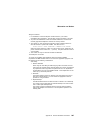
Statement of Limited Warranty
The warranties provided by IBM in this Statement of Limited Warranty apply only to
Machines you originally purchase for your use, and not for resale, from IBM or an IBM
authorized reseller. The term “Machine” means an IBM machine, its features,
conversions, upgrades, elements, or accessories, or any combination of them.
Machines are subject to these terms only if purchased in the United States or Puerto
Rico, or Canada, and located in the country of purchase. If you have any questions,
contact IBM or your reseller.
Machine: IBM ThinkPad 755CX except the Battery Pack
Warranty Period*: Three Years
*Elements and accessories are warranted for three months. Contact your place
of purchase for warranty service information.
Production Status
Each Machine is manufactured from new parts, or new and serviceable used parts
(which perform like new parts). In some cases, the Machine may not be new and may
have been previously installed. Regardless of the Machine's production status, IBM's
warranty terms apply.
The IBM Warranty
IBM warrants that each Machine 1) is free from defects in materials and workmanship
and 2) conforms to IBM's Official Published Specifications. IBM calculates the
expiration of the warranty period from the Machine's Date of Installation. The date on
your receipt is the Date of Installation, unless IBM or your reseller informs you
otherwise.
During the warranty period, IBM or your reseller will provide warranty service under
the type of service designated for the Machine and will manage and install engineering
changes that apply to the Machine. IBM or your reseller will specify the type of
service.
For a feature, conversion, or upgrade, IBM or your reseller may require that the
Machine on which it is installed be 1) the designated, serial-numbered Machine and 2)
at an engineering-change level compatible with the feature, conversion, or upgrade.
Some of these transactions (called “Net-Priced” transactions) may include additional
parts and associated replacement parts that are provided on an exchange basis. All
removed parts become the property of IBM and must be returned to IBM.
Replacement parts assume the remaining warranty of the parts they replace.
If a Machine does not function as warranted during the warranty period, IBM or your
reseller will repair or replace it (with a Machine that is at least functionally equivalent)
without charge. If IBM or your reseller is unable to do so, you may return it to your
place of purchase and your money will be refunded.
If you transfer a Machine to another user, warranty service is available to that user for
the remainder of the warranty period. You should give your proof of purchase and this
Statement to that user.
Warranty Service
To obtain warranty service for the Machine, you should contact your reseller or call
IBM. In the United States, call IBM at 1-800-772-2227. In Canada, call IBM at
1-800-565-3344. You may be required to present proof of purchase.
Depending on the Machine, the service may be 1) a “Repair” service at your location
(called “On-site”) or at one of IBM's or a reseller's service locations (called “Carry-in”)
or 2) an “Exchange” service, either On-site or Carry-in.
Copyright IBM Corp. 1995
255