1
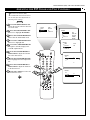
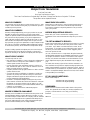
Picture Menu • The Dynamic Noise Reduction Control
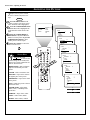
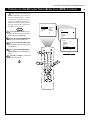
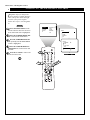
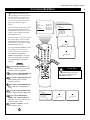
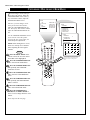
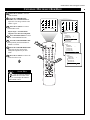
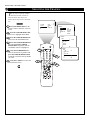
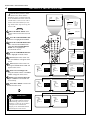
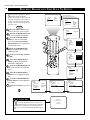
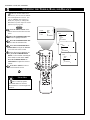
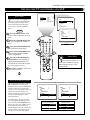
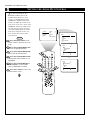
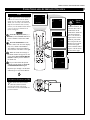
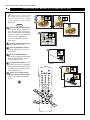
TURNING ON THE DYNAMIC NOISE REDUCTION (DNR) CONTROL
B
ecause of poor cable reception or
other difficulties, the picture can
sometimes appear slightly “speckled”
(an indication of signal noise in the
picture). The DNR (Dynamic Noise
Reduction) control can help eliminate
this type of interference and improve
the quality of the picture.
BRIGHTNESS
COLOR
PICTURE
SHARPNESS
TINT
PICTURE
SOUND
FEATURES
INSTALL
BEGIN
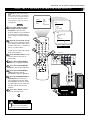
Press the MENU button on the
remote to show the on-screen menu.
PICTURE will be highlighted.
PICTURE
BRIGHTNESS
COLOR
PICTURE
SHARPNESS
TINT
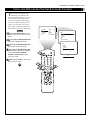
Press the CURSOR RIGHT button to enter the PICTURE menu.
30
PICTURE
PICTURE
SHARPNESS
TINT
COLOR TEMP
DNR
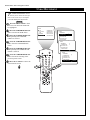
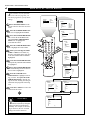
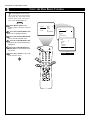
Press the CURSOR DOWN button repeatedly until the DNR control
is highlighted.
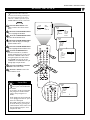
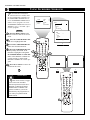
Press the CURSOR RIGHT or
LEFT button to switch DNR ON or
OFF.
5
AV
OR
SAP
TV
VCR
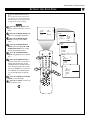
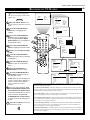
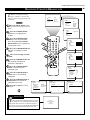
Press the i+ button to remove the
menu from the screen.
i+
1
2
3
4
5
6
7
8
DNR
ACC
9
SMART
SMART
0
1
ON
MENU
SURF
CH
INCR. SURR.
3
PIP
A/CH
PIP CH
UP
7
DN
2
4
OFF