1
Using Your Remote
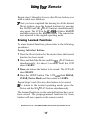
Erasing All Buttons in One Device Mode:
1 Press the Device button for the mode to be erased.
2 Press and hold the Device and SELlPLAY buttons
simultaneously, for about 3 seconds, until the LCD
shows LEARN.
3 Press and hold the Device and LIGHT buttons simulta-
neously, for approximately five seconds and then release
the buttons. The LCD will flash ERASE and then alternately CLEAR and the Device Mode.
Note: This procedure takes about two minutes to complete.
When the LCD on the remote returns to the Device Mode, all
the learned finctions in the selected Device mode have been
erased. All the buttolzs in that Device mode will now operate
with the preprogrammed functions in that mode.
Erasing All Buttons in All Device Modes
1 Press and hold the TV Device Button and the LIGHT
button simultaneously, for approximately ten seconds.
The LCD will flash ERASE ten times, flash CLEAR
and then return to the TV mode.
When the LCD on the remote returns to TV, all the
learned functions in all eight Device modes have been
erased. All the buttons in all Device modes will now operate with the preprogrammed functions in their respective
modes.
Smarthome.com, Inc. (800) SMART-HOME (949) 221-9200 http://smarthome.com
18