1
CHAPTER 3: Using Manager Preference
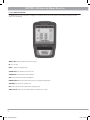
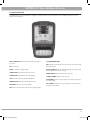
3.1 USING MANAGER PREFERENCE MODE
CHAPTER 4: Serial Number Location
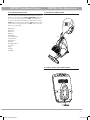
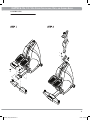
4.1 STEPPER SERIAL NUMBER LOCATION
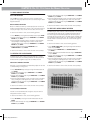
This section allows a user to manipulate default settings for the machines.
It may be accessed by pressing the LEVEL UP/LEVEL DOWN simultaneously
for 5 seconds. To change a setting, press “ENTER” on the keypad and
use the Level buttons and numeric keypad to change the values. Pressing
“ENTER” again will save the change. Pressing “BACK” will bring you to the
previous menu. To exit manager’s mode, hold “STOP” down for 5 seconds.
Below is a list of the settings.
Maximum Time
Default Time
Default Level
Default Age
Default Weight
Accumulated Distance
Accumulated Time
Software Version
Timer Mode
Speed/Distance Mode
Out of Order
Gender
Language
Sound Mode
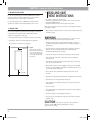
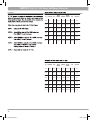
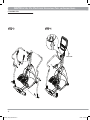
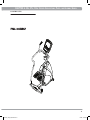
SERIAL # PLACEMENT
SERIAL#
PLACEMENT
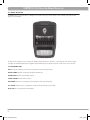
4.2 UNIVERSAL CONSOLE SERIAL NUMBER LOCATION
6
Premium_stepper_090723.indd 6
7/23/09 10:18 AM