1
Alienware Sentia 3450 Technical Reference
Advanced Users
If you are an advanced user you may skip over most of this Quick Start Guide. However
you may find it useful to refer to “What to Install” on page 4 - 1, “BIOS Utilities” on
page 5 - 1 and “Upgrading The Computer” on page 6 - 1 in the User’s Manual. You may
also find the notes marked with a (marker symbol) of interest to you.
Beginners and Not-So-Advanced Users
If you are new to computers (or do not have an advanced knowledge of them) then
the information contained in this Quick Start Guide should be enough to get you
up and running. Eventually you should try to look through all the documentation
(more detailed descriptions of the functions, setup and system controls are covered
in the remainder of the User’s Manual), but do not worry if you do not understand
every¬thing the first time. Keep this manual nearby and refer to it to learn as you go.
You may find it useful to refer to the notes marked with a (marker symbol)as indicated
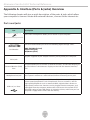
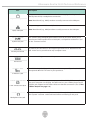
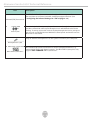
in the margin. For a more detailed description of any of the interface ports and jacks
see “Interface (Ports & Jacks)” on page A - 1.
Warning Boxes
No matter what your level please pay careful attention to the warning and safety
information indicated by the (ringing-bell symbol). Also please note the safety and
handling instructions as indicated in the Preface.
Not Included
Operating Systems (e.g. Windows XP etc.) and applications (e.g. word processing,
spreadsheet and database pro¬grams) have their own manuals, so please consult the
appropriate manuals.
Drivers
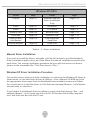
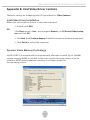
If you are installing new system software, or are re-configuring your computer for a
different system, you will need to install the drivers listed in “Drivers & Utilities” on
page 4 - 1. Drivers are programs which act as an interface between the computer
and a hardware component e.g. a wireless network module. It is very important that
you install the drivers in the order listed in Table 4 - 1, on page 4 - 6. You will be unable
to use most advanced controls until the necessary drivers and utilities are properly
18