1
Alienware Sentia 3450 Technical Reference
Handling CDs or DVDs
Proper handling of your CDs/DVDs will prevent them from being damaged. Please
follow the advice below to make sure that the data stored on your CDs/DVDs can be
accessed.
Note the following:
• Hold the CD or DVD by the edges; do not touch the surface of the disc.
• Use a clean, soft, dry cloth to remove dust or fingerprints.
• Do not write on the surface with a pen.
• Do not attach paper or other materials to the surface of the disc.
• Do not store or place the CD or DVD in high-temperature areas.
• Do not use benzene, thinner, or other cleaners to clean the CD or DVD.
• Do not bend the CD or DVD.
• Do not drop or subject the CD or DVD to shock.
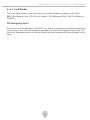
CD Emergency Eject
If you need to manually eject a CD (e.g. due to an unexpected power interruption) you
may push the end of a straightened paper clip into the emergency eject hole. However,
please do NOT use a sharpened pencil or similar object that may break and become
lodged in the hole.
Disk Eject Warning
Don’t try to remove a CD/DVD while the system is accessing it. This may cause the
system to “crash.”
38