1
Contents
1 ATTO FibreBridge supports diverse SAN needs .............................1
2 BridgeTools aids FibreBridge management ....................................3
Glossary
3 Installing the BridgeTools program ..................................................5
Requirements
Installation step by step
4 The BridgeTools graphical interface is ready ..................................7
4.1 FibreBridge connection pages ............................................9
Welcome page
In-Band Fibre Channel connection page
Ethernet connection page
Serial port connection page
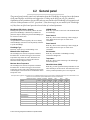
4.2 General panel ........................................................................11
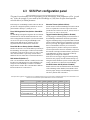
4.3 SCSI Port configuration panel .............................................12
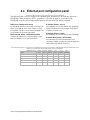
4.4 Ethernet port configuration panel .......................................13
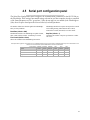
4.5 Serial port configuration panel ............................................14
4.6 Firmware updater panel ........................................................15
4.7 Fibre Channel port configuration panel ..............................16
4.8 Mapping panel .......................................................................19
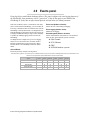
4.9 Events panel ..........................................................................21
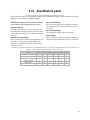
4.10 Save/Restore panel .............................................................22
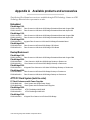
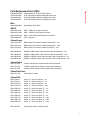
Appendix A Available products and accessories ...............................i
Appendix B How to contact ATTO Technology, Inc. ..........................iii