1
Using the Video and Audio Input Terminals
•
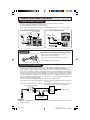
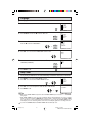
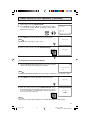
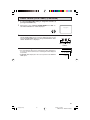
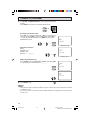
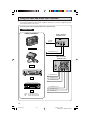
Connecting video equipment for playback of video material.
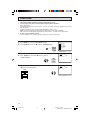
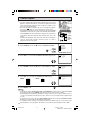
• To view video material from external video equipment, make sure to connect the equipment properly
to the input terminals on the TV set.
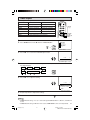
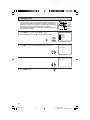
Connecting video device equipped with video output terminals
CONNECTIONS
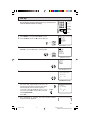
VIDEO EQUIPMENT
(Front connection
terminals of TV)
To VIDEO
OUTPUT
CAMCORDER
To AUDIO OUTPUT (L)
To AUDIO OUTPUT (R)
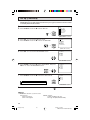
(Rear connection
terminals of TV)
TV GAME
To VIDEO OUTPUT
To AUDIO OUTPUT (L)
VCR
To AUDIO OUTPUT (R)
To AUDIO OUTPUT (R)
To AUDIO OUTPUT (L)
DVD
To VIDEO OUTPUT
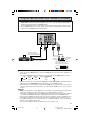
Yellow : To video input terminal
White : To audio input (L) terminal
Red : To audio input (R) terminal
36
32C231(35-37)
36
3/27/03, 11:15 AM
Dimension: 140 X 215 mm