1
How This Book Is Organized
3
. I assume that you’ve used Windows for a while and are comfortable with concepts
such as toolbars, scrollbars, and, of course, windows.
. I assume that you have a brain that you’re willing to use and a good supply of
innate curiosity.
How This Book Is Organized
As I mentioned earlier, I’ve completely revamped the structure and coverage in this
edition, so the next few sections offer a summary of what you’ll find in each part.
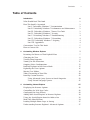
Part I: Unleashing Windows 7 Customization
Your purchase of this book (a sound and savvy investment on your part, if I do say so
myself) indicates that you’re not interested in using Windows 7 in its out-of-the-box
configuration. If you’re looking to make Windows 7 your own, begin at the beginning
with the five chapters in Part I. You learn how to customize Windows Explorer (Chapter
1), Internet Explorer (Chapter 2), the file system (Chapter 3), startup and shutdown
(Chapter 4), and the Start menu and taskbar (Chapter 5).
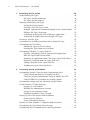
Part II: Unleashing Windows 7 Performance and Maintenance
Everybody wants Windows to run faster, so you’ll no doubt be pleased that I devote an
entire chapter to this important topic (Chapter 6). Everybody wants Windows to run
smoother, so you’ll also no doubt be pleased that I devote yet another chapter to that
important topic (Chapter 7).
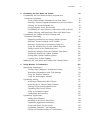
Part III: Unleashing Windows 7 Power User Tools
The chapters in Part III kick your advanced Windows 7 education into high gear by covering the ins and outs of a half dozen important Windows 7 power tools: Control Panel
(Chapter 8), Local Group Policy Editor (Chapter 9), Microsoft Management Console
(Chapter 10), the Services snap-in (Chapter 11), the Registry Editor (Chapter 12), and
Command Prompt (Chapter 13).
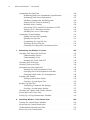
Part IV: Unleashing Windows 7 Security
With threats to our digital lives coming at us from all sides these days, security may just
be the most vital topic in technology. So perhaps that’s why Part IV is the biggest section
in the book, with no less than seven chapters devoted to various aspects of Windows 7
security. Your first learn some general techniques for locking down Windows 7 (Chapter
14), and you then learn how to configure web security (Chapter 15), email security
(Chapter 16), file system security (Chapter 17), user security (Chapter 18), wired network
security (Chapter 19), and wireless network security (Chapter 20).