1
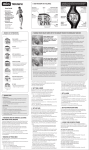
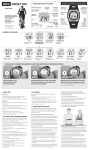
TO COUNT DOWN TO ZERO AND REPEAT
(suitable for training)
- The timer must be stopped.
- Hold SET until beep (2 seconds).
- Press + or – to adjust the TIMER TYPE to TMR
REP. Press SET.
- Press + or – to adjust the HOURS. Press SET.
- Repeat for MINUTES and SECONDS.
- Press + or – to adjust the EXERCISE TYPE. Press SET.
- If you want to adjust the LOWER and UPPER HR LIMIT, press + or – to adjust;
otherwise press SET.
- Press + or – to adjust the TIMER 2 (Walk) HOURS. Press SET. Repeat for TIMER
2 MINUTES, SECONDS and EXERCISE TYPE.
- TIMER will ask PEDO CAL?, or (
See page 23 and 24.
) CAL? and count down from 5 seconds.
- To start the timer, press START.
- To pause, press STOP. Press START to resume.
- Timer will beep when the countdown reaches zero, then repeat the countdown
until you have completed all your repetitions.
- To stop the timer, press STOP.
- To reset timer to starting condition and clear the workout calories, press RESET
until beep (2 seconds).
English 21