1
Conventions Used in this Guide
Notifications
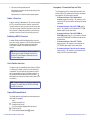
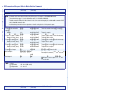
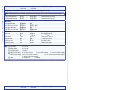
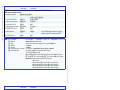
Contents
The following are used:
ATTENTION: Attention indicates a situation that may damage or
destroy the product or associated equipment.
NOTE: A note draws attention to important information.
Software Commands
Commands are written in the fonts shown here:
^AR Merge Scene,,Op1 scene 1,1 ^B 51 ^W^C
[01] R 0004 00300 00400 00800 00600 [02] 35 [17] [03]
E X! *X** X3%* X3&* X3^ CE}
NOTE: For commands and examples of computer or device
responses mentioned in this guide, the character “0” is used for
the number zero and “O” is the capital letter “o.”
Computer responses and directory paths that do not have variables are
written in the font shown here:
Reply from 208.132.180.48: bytes=32 times=2ms TTL=32
C:\Program Files\Extron
Variables are written in slanted form as shown here:
ping xxx.xxx.xxx.xxx —t
SOH R Data STX Command ETB ETX
Selectable items, such as menu names, menu options, buttons, tabs,
and field names are written in the font shown here:
From the File menu, select New.
Click the OK button.
Specifications Availability
Product specifications are available on the Extron website,
www.extron.com.
Introduction....................................1
Remote Control.............................21
About this Guide..............................1
About the XTP CrossPoint Matrix
Switchers........................................1
Endpoint Configuration................3
Swapping Boards and
Endpoints....................................3
Selected SIS Commands...............21
Establishing a Network
(Ethernet) Connection...............21
Number of Connections.............22
Establishing a USB Port
Connection................................22
Host-to-Switcher Instructions....22
Common SIS Command
Symbols....................................22
Arrangement of Command and
Response Tables.......................23
SIS Command and Response
Table for Matrix Switcher
Commands................................24
SIS Command and Response
Table for XTP T HDMI................35
SIS Command and Response
Table for XTP R HDMI and
XTP SR HDMI............................37
SIS Command and Response
Table for XTP T USW 103..........40
SIS Command and Response
Table for IP-Specific
Commands................................43
XTP System Configuration
Program........................................44
Accessing the HTML Pages...........44
Installation......................................5
Rear Panel........................................5
I/O Board Configuration
Overview.....................................5
Inputs and Outputs......................6
Remote Control..........................11
Reset..........................................11
Power.........................................11
Additional Connector
Information................................12
Front Panel.....................................16
Front Panel Operations...................17
Creating a Tie.................................17
Saving or Recalling a Preset..........18
Setting the Front Panel Locks
(Executive Modes)........................18
Selecting Lock Mode 2 or
Toggling Between
Mode 2 and Mode 0..................19
Selecting Lock Mode 2 or
Toggling Between
Mode 2 and Mode 1..................19
Viewing and Adjusting the Audio
Level.............................................20
Viewing Ties (and Muting
Outputs)........................................20
Configuration................................47
Removing and Installing a Board
or Blank Panel...............................47
XTP CrossPoint 1600 and 3200 • Contents
v