1
Getting Started
Getting Started
Thank you for choosing the DENON AVR-3806 Digital Surround A / V amplifier. This remarkable component has been engineered to
provide superb surround sound listening with home theater sources such as DVD, as well as providing outstanding high fidelity
reproduction of your favorite music sources.
As this product is provided with an immense array of features, we recommend that before you begin hookup and operation that you
review the contents of this manual before proceeding.
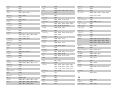
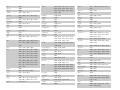
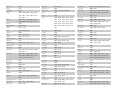
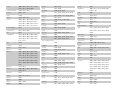
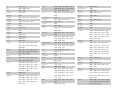
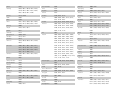
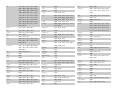
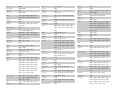
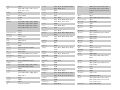
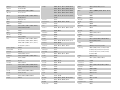
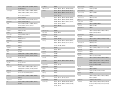
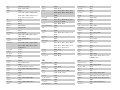
Contents
Getting Started
Accessories ··············································································2
Before using·············································································2
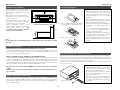
Cautions on installation ·························································3
Cautions on handling······························································3
Preparing the remote control unit ········································3
Inserting the batteries ····························································3
Operating range of the remote control unit ························3
Part names and functions
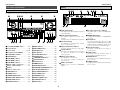
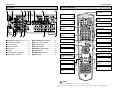
Front panel··············································································4
Display ····················································································4
Rear panel···············································································5
Remote control unit································································5
Easy Setup and Operation
Easy to setup flow ··································································6
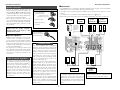
Speaker system layout ···························································6
Speaker connections ······························································7
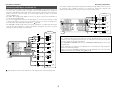
Connecting a DVD player and monitor TV···························8
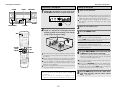
Auto Setup / Room EQ···························································9
Connecting a microphone ····················································10
Turning on the power ···························································10
Starting Auto Setup ······························································11
Power Amp Assign·······························································11
Preliminary measurements·············································11, 12
Speaker system measurement ············································12
Check of the measurement result ·································12, 13
About the error message ·····················································13
Playing a DVD with surround sound ··································13
Connecting Other Sources
Cable indications···································································14
The video conversion function ············································15
On screen display for component
video outputs and HDMI output ·········································15
Connecting equipment with HDMI
(High-Definition Multimedia Interface) terminals
[To convert analog video signals to HDMI signals] ···········16
Connecting a TV tuner ·························································16
Connecting a DBS tuner·······················································17
Connecting the external inputs (EXT. IN) terminals··········17
Connecting a video camera component or video game·······17
Connecting a DVD recorder ·················································18
Connecting a VCR ·································································18
Connecting a CD player························································19
Connecting a turntable·························································19
Connecting a CD recorder or MD recorder·························19
Connecting a tape deck························································19
DENON LINK connections ····················································20
Connecting equipment with HDMI
(High-Definition Multimedia Interface) terminals········20, 21
Connecting the antenna terminals······································22
Connecting the XM terminal ···············································23
Connecting the CONTROL terminal ····································23
Connecting the TRIGGER OUT terminals ···························23
Connecting the MULTI ZONE terminals ·····························24
ZONE2 (or ZONE3) pre-out connections ······························24
ZONE2 / ZONE3 speaker out connections···························24
Connecting the pre-out terminals ·······································25
Connecting the power supply cord·····································25
Basic Operation
Playback
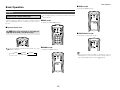
Operating the remote control unit········································26
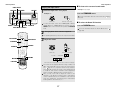
Playing the input source ·······················································27
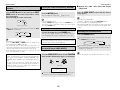
Playback using the external input (EXT. IN) terminals ··········28
Turning the sound off temporarily (MUTING) ·······················28
Listening over headphones ··················································28
Combining the currently playing sound with the
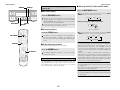
desired image (VIDEO SELECT) ···········································28
Switching the surround speakers·········································28
Checking the currently playing program source, etc.···········29
Input mode ·····································································29, 30
Room EQ function ································································30
Surround
Playing modes for different sources ····································31
Playing audio sources (CDs and DVDs)
2-channel playback modes ···················································32
Dolby Digital mode and DTS surround
(only with digital input) ···················································33, 34
1
Night mode···········································································34
Dolby Pro LogicIIx (Pro LogicII) mode ···························36, 37
DTS NEO:6 mode ·································································38
Memory and call-out functions (USER MODE function) ······38
DENON original surround modes
Surround modes and their features······································39
DSP surround simulation ······················································40
Tone control setting
• Adjusting the tone······························································41
• Tone defeat mode ······························································42
Channel level ········································································42
Fader function·······································································42
Listening to the radio
Auto tuning ···········································································43
Manual tuning·······································································43
Preset memory·····································································44
Checking the preset stations················································44
Recalling preset stations ······················································44
XM Satellite Radio
Checking the XM signal strength and Radio ID ···················45
Channel selection ·································································46
Category search····································································46
Direct access of channels ····················································46
Advanced Operation
Remote control unit
Operating DENON audio components ···························47, 48
Preset memory·····································································49
Operating a component stored in the preset memory ·····49 ~ 51
Learning function··································································52
System call ···········································································53
Punch through ······································································54
Setting the back light’s lighting time ····································54
Setting the ambient light sensor ··········································54
Setting the brightness ··························································54
Resetting ··············································································55
Multi zone music entertainment system
Multi-zone playback using the ZONE2
and ZONE3 PREOUT terminals ············································56
Multi-zone playback using the SPEAKER terminals ·············57
Outputting a program source to amplifier, etc.,
in a ZONE2 room (ZONE2 SELECT mode)···························58
Outputting a program source to amplifier, etc.,
in a ZONE3 room (ZONE3 SELECT mode)···························58
Remote control unit operations during
multi-source playback ···························································58
Other function
Playing Super Audio CDs with DENON LINK·······················59
Multi-source recording / playback·········································60
Last function memory ··························································60
Initialization of the microprocessor·······································60