1
BIOS
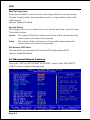
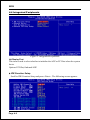
System Performance
This item will help you to configure your system performance, selecting higher
performance may cause instability.
Options: Optimal, Aggressive, Turbo, Expert.
CPU Clock Ratio
Use this item to select a multiplier to set the CPU frequency. See FSB Frequency
item below for explanation.
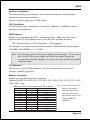
FSB Frequency
Enables you to increment the CPU’s clock generator at 1 MHz step. This works
together with CPU Clock Ratio (above) to set the CPU operating frequency.
CPU Clock Generator x CPU Clock Ratio = CPU Frequency
For example, if you have a processor that is rated at 2.4GHz and the clock generator
is 200MHz, then 200MHz x 12 = 2.4GHz
Note: Overclocking failure will cause no display on the monitor. To overcome
this switch off the power supply and switch on again. Restart the
system, press and hold <Insert> key. This will revert the BIOS to default
or initial setting.
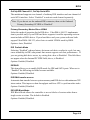
CPU Interface
Allows you to set CPU/FSB parameters for CPU most stable or overclocked.
Options: Optimal, Aggressive.
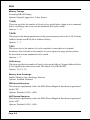
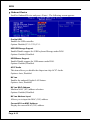
Memory Frequency
Enables you to select the memory frequency.
Options: By SPD, 50%, 60%, 66%, 75%, 80%, 83%, 100%, 120%, 125%, 133%, 150%,
166%, 200%, Auto.
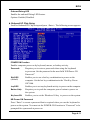
Below is a list of Auto mode table for reference. Note: Auto mode ensures the
FS B
SPD/Memory
Sync/Async and Speed set
200
266
Sync 200
200
333
Sync 200
200
400
Sync 200
266
266
Sync 266
266
333
Sync 266
266
400
Sync 266
333
266
Async 333/266
333
333
Sync 333
333
400
Sync 333
400
266
Async 400/266
400
333
Async 400/333
400
400
Sync 400
memory init module
initializes the memory
controller for the best
performance based on the
FSB and DDR SPD
capabilities.
Page 4-5