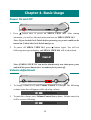
1
8.
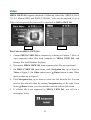
If you adjusted Setting Menu→ Photo→ Slide Music option to On, you can
hear all music files in Music folder playing while the photos sliding.
9.
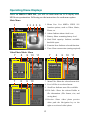
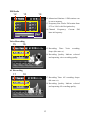
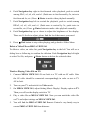
You can also browse the photo by 3X3 format. Push Navigation key left
and you will see 9 frames on the display.
Note: The icon in the middle of bottom line means the file format can not be
supported by MEGA VIEW 561.
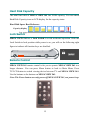
10. Push Navigation key to the right or left to select previous or next photo.
Push Navigation key up or down to select last 9 or next 9 photos. Press
/Enter button to view the selected photo in full screen.
11. Press /Exit button to stop photo viewing.
Note: Photos/pictures are best viewed at resolution of 1600x1200 for JPEG,
TIFF, and BMP format and 800x600 for GIF.
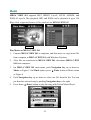
Delete a Photo file on MEGA VIEW 561
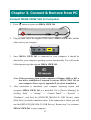
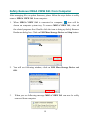
To delete a photo/picture, push Navigation key up or down to select the
unwanted file. Push Navigation key to the left, you will see a Dialog Box to
confirm the deletion. Push Navigation key left or right to select Yes/ No, and
press /Enter button to delete the file.
26