1
28
AUDIO,?"OX®
· 'J
Contro lling Intern et Radio Apps
U
ELEC
NOTE: The following features may not be supported by all apps. For
demonstration purposes the following examples will show the features
for the Livio Car Internet Radio app.
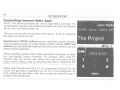
The app must be active on the screen of the device. To do so, simply tap
the app's icon and it will load.
Next/previous TRACK buttons execute application specific features
such as skipping stream or cycling between station presets. DISC (1-6)
buttons are associated with station presets when used with the Livio Car
Internet Radio application.
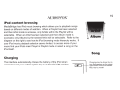
iPhone operating system iOS5 enabled application developers to share
the "now playing" screen information. For example, when using the
Pandora App, you will see artist, album and song information on the
radio's screen. When using an application that doesn't implement this
feature, or running iOS4, only the name of the application will be shown.
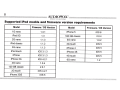
Please note that although iOS 4 (4.2.1) is supported on iPhone 3G and
iTouch 2nd generation, applications do not run in the background. As
such, loading the app takes longer than on devices where the app is
present in the background.