1
Putting the MM 400-X into operation
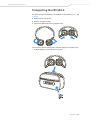
Pairing the MM 400-X with an audio source
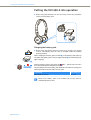
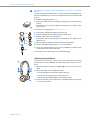
왘 Make sure that your headset is switched off (see “Switching the
MM 400-X on/off“ on page 14).
When switching the headset on for the first time, it will automatically go
into pairing mode. The headset is waiting to be paired with a Bluetooth
enabled device.
1
5
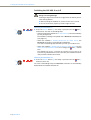
왘 Press the Master button 햶 and keep it pressed until the
alternately flashes blue and red.
LED 1
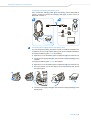
왘 On your audio source, activate the Bluetooth function “Add a new
device”.
왘 Proceed as described in the instruction manual of the audio source.
1
If a suitable audio source is found, the devices will exchange device identification information. The
LED 1 flashes 3 times blue and you hear an
ascending beep. The devices have identified each other and the headset is
paired with the audio source.
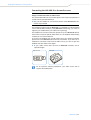
PIN code
When the audio source prompts for a password or PIN code, enter
the default PIN code “0000”.
1
If no device is found within approx. 5 minutes, the
LED 1 flashes
3 times red and you hear a descending beep. The headset will then try for
3 minutes to connect to one of the up to 8 previously paired audio sources.
If this fails, the headset automatically switches off after 60 minutes.
왘 In this case, repeat the necessary steps to pair the headset with the
audio source again.
Disconnecting the Bluetooth connection
The Bluetooth button 쐏 is backlit, indicating the current setting. The
backlighting goes off after a short time to conserve energy.
왘 Press any button on the headset to display the current setting of the
Bluetooth function.
To disconnect the Bluetooth connection to the audio source, you can
switch off the headset or the Bluetooth function. This setting is retained
until the Bluetooth function is switched on again.
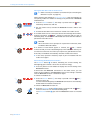
To switch the headset off:
1
5
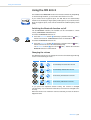
왘 Press the Master button 햶 and keep it pressed until the
LED 1
flashes 3 times red.
You hear a descending beep. The Bluetooth connection is automatically
deactivated. The headset switches off.
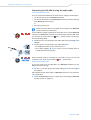
To switch the Bluetooth function off:
쐏
12 | MM 400-X
왘 Press the Bluetooth button 쐏 and keep it pressed until the
LED 1
flashes 3 times red. You hear a descending beep.
The Bluetooth button 쐏 goes off. The Bluetooth function is switched
off.