1
Preparing to Connect
Preparing to Connect
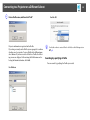
Use the following procedure to set up the computer for connection.
For Windows
Make network settings for the computer by using the utility software
supplied with the LAN adapter. For more information on the utility
software, see the manual supplied with your LAN adapter.
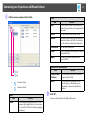
For example, as shown in the following illustration, when a red cross (^)
is displayed over the network icon on the taskbar, you cannot connect to
the projector.
For Mac OS
Set the network port and communication status. For more details on
setting the communication status, see the manual for your computer or
the AirPort card.
12