1
 If your images are stored on a CF memory card, you can insert
the memory card directly into a DPOF-compatible printer. The
printer reads the print order and prints the specified images.
When you transfer your images from the camera to a
computer, the print order is copied along with them. If you have
set up your HP Automatic Image Unload software to do so, the
computer reads the print order and prints the specified images.
For more information, see “Automated Task Options” in the
software’s Help.
Note
An Apple Macintosh computer does not recognize a
DPOF print order.
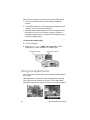
To create or edit a print order
1 Turn the camera on.
2 Press the
dial to begin reviewing your images.
3 If you want copies of a single image, use the
dial to scroll to
the image you want to add to or remove from the print order.
Note
4 Press the
press the
If you want copies of all images, it does not matter
which image is displayed on the image display.
dial to open the main menu, and then
dial to open the Print (DPOF) menu.
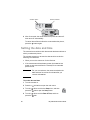
5 Turn the
dial to select This
Image if you want copies of the
current image. Select All Images if
you want copies of all the images in
memory.
6 Press the
dial.
7 Select the number of copies of the
image that you want.
Tip
To remove an image from a print order, set the
number of copies for that image to zero.
Reviewing your images
17