1
Chapter Five
TROUBLESHOOTING
If the TV seems to have a problem, first try this list of possible problems and solutions. If
none of these troubleshooting tips apply, then call your nearest service center.
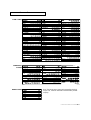
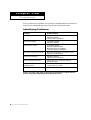
Identifying Problems
Problem
Possible Solution
Poor picture.
Try another channel.
Adjust the antenna.
Check all wire connections.
Poor sound quality.
Try another channel.
Adjust the antenna.
No picture or sound.
Try another channel.
Press the TV/Video button.
Make sure the TV is plugged in.
Check the antenna connections.
No color, wrong colors or tints.
Make sure the program is broadcast in color.
Adjust the picture settings.
Picture rolls vertically.
Adjust the antenna.
Check all wire connections.
The TV operates erratically.
Unplug the TV for 30 seconds, then try
operating it again.
Your remote control does not
operate your TV.
Press the “MODE” button to put your remote
control in the “TV” mode.
The TV won’t turn on.
Make sure the wall outlet is working.
Note: If you watch a still image or the screen in the Normal(4:3) aspect ratio format for a long time, images may be burned onto the screen.
5.1
CHAPTER FIVE: TROUBLESHOOTING