1
SV-5000W/SECA2
4/1/1 12:16 AM
Page 25
Using the Timer Programming Feature
GB
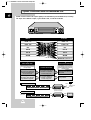
The Timer Programming feature enables you to preset the VCR to
record a program up to one month before it is to be broadcast. Up
to six programs can be preset.
☛
Before presetting a recording, check that the date and
time are correct. If not, refer to page 17. If the clock has
not been set, the Date/Time Setting function is activated
automatically.
X
REC.SPEED
CLK/COUNT
2
3
5
6
PICTURE
STROBE
1
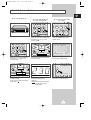
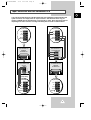
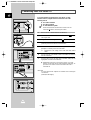
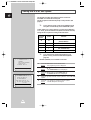
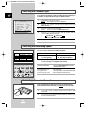
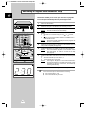
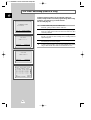
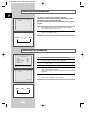
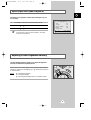
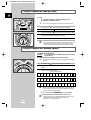
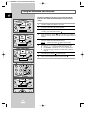
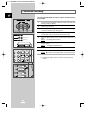
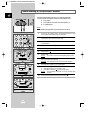
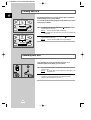
Insert the cassette and press the TIMER button.
Result:
The Timer selection is displayed.
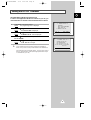
Press
3
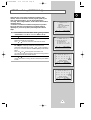
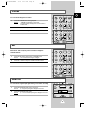
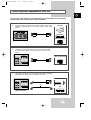
Select the required channel by pressing the
or
INPUT to select the SC, AV, L l or L2 input sources.
4
Press
5
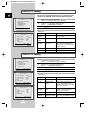
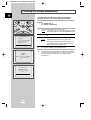
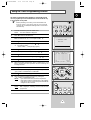
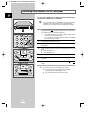
Select the required day by pressing the or button.
➢ DLY (daily program).
W-SU, W-MO, ...., W-SA(weekly program).
to select the standard timer.
7
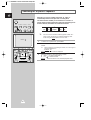
Select the required hour value by pressing the
¨ STANDARD TIMER
VCR PLUS
EXIT:(TIMER)
to select the recording start time.
or
button.
CLOCK: 1/JAN FRI 12:32
CH DAY START→STOP
¨ --- ---- --:--→--:--
Press
9
Select the required minute value by pressing the
10
Press
11
Select the required recording stop time by pressing the
or
button, following the same procedure as when selecting the
recording start time.
12
Press
13
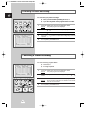
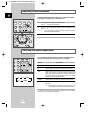
Select the required recording system value by pressing the
or button. The default value is THROUGH.
to select the minutes.
or
to select the recording stop time.
to select the REC SYSTEM.
Press
15
Select the required recording speed value by pressing the
or button. The default value is SP.
Result:
If you select AUTO mode, the VCR compares the
timer duration with the remaining time on the cassette.
If the tape is not long enough, the speed automatically
changes from SP to LP/SLP.
INPUT
SYSTEM
OUTPUT
SYSTEM
OK
4
to select the recording speed.
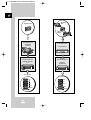
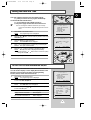
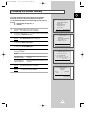
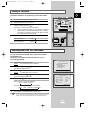
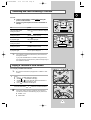
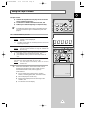
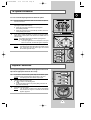
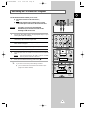
When you have finished, press the MENU button.
Result:
SET is displayed, indicating that the VCR has been
programmed.
¨¨
---- --:--→--:-- ¨¨
---- --:--→--:-- ¨¨
---- --:--→--:-- ¨¨
---- --:--→--:-- ¨¨
---- --:--→--:-- ¨¨
¹
SET:¨
DELETE:(CLR/RST) (MENU)
-----------
button.
14
17
¨
¹
8
16
INPUT
button or
to select the recording day.
Press
AUDIO
1
ART
2
6
TIMER
AUTO
MENU
G
KIN
AC
TR
SL
OW
VCR
POWER
INDEX
17 REC.SPEED
CLK/COUNT
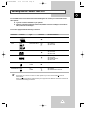
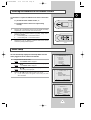
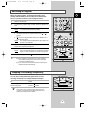
Press the VCR POWER button to activate the timer.
PICTURE
STROBE
1
2
3
25