1
CONTENT
1. SAFETY AND PRECAUTIONS
1
Operating Safety .................................................................................................. 1
Repair........................................................................................................... 1
Notes for Service Engineers ............................................................................. 1
Point of use ................................................................................................... 2
Environmental conditions................................................................................. 2
Connecting .................................................................................................... 2
Standards/Electro-Magnetic Compatibility .......................................................... 3
Precautions ......................................................................................................... 3
Important Additional Safety Instructions.................................................................. 3
Recycling and Disposal .......................................................................................... 4
2. INTRODUCTION
5
Service ............................................................................................................... 5
Performance Characteristics................................................................................... 5
3. CONTROL ELEMENTS AND FRONT CONNECTIONS
6
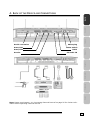
4. BACK OF THE DEVICE AND CONNECTIONS
7
5. REMOTE CONTROL
8
Summary of Control Buttons .................................................................................. 9
6. APSAS FIRST TIME INSTALLATION
10
7. GENERAL CONTROLS & ADJUSTMENT
12
Turning the LCD display On and Off ...................................................................... 12
Calling up Menus and operating the on-screen control ............................................. 12
Continue switching channels ................................................................................ 13
Switch between TV / PC / AV ............................................................................... 13
Volume Control .................................................................................................. 13
Using Volume Control.................................................................................... 13
Using Mute .................................................................................................. 13
Picture (Contrast, Colour, Brightness, etc.) ............................................................ 13
Additional picture settings ................................................................................... 15
Sound (Balance, Equalizer, etc.) ........................................................................... 16
8. TV MODE ADJUSTMENT
18
Adjusting TV settings .......................................................................................... 18
Program table .............................................................................................. 18
Delete a program ......................................................................................... 18
Moving and sorting channels .......................................................................... 19
Changing the names of channels .................................................................... 19
Setting channels manually ............................................................................. 20
Manual addition of channels ................................................................................. 22
Add new channels automatically ........................................................................... 22
ii