1
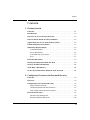
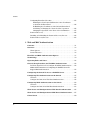
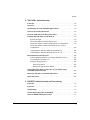
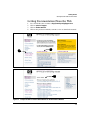
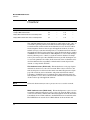
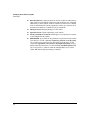
Getting Started Introduction Introduction This Access Security Guide is intended for use with the following switches: ■ HP ProCurve Switch 5304xl ■ HP ProCurve Switch 5348xl ■ HP ProCurve Switch 5308xl ■ HP ProCurve Switch 5372xl ■ HP ProCurve Switch 3400cl-24G ■ HP ProCurve Switch 3400cl-48G This guide describes how to configure and use the switch security features covered in the following chapters. The Product Documentation CD-ROM shipped with the switch includes a copy of this guide. You can also download the latest version of this guide from the HP ProCurve website. (Refer to “Getting Documentation From the Web” on page 1-9.) For information on other product documentation available for the abovelisted switches, refer to “Getting Documentation From the Web” on page 1-9. Overview of Access Security Features 1-2 ■ Local Manager and Operator Passwords (page 2-1): Control access and privileges for the CLI, menu, and web browser interfaces. Includes front-panel security information that allows you to disable or re-enable some of the functions of the Clear and the Reset buttons located on the switch’s front panel. ■ Web and MAC Authentication (page 3-1): Provides user or device authentication through a RADIUS server without requiring the client to use 802.1x supplicant software. ■ TACACS+ Authentication (page 4-1): Uses an authentication applica tion on a server to allow or deny access to the switch. ■ RADIUS Authentication and Accounting (page 5-1): Uses RADIUS authentication on a central server to allow or deny access to the switch. RADIUS also provides accounting services for sending data about user activity and system events to a RADIUS server. ■ Secure Shell (SSH) Authentication (page 6-1): Provides encrypted paths for remote access to switch management functions. ■ Secure Socket Layer (SSL) (page 7-1): Provides remote web access to the switch via encrypted authentication paths between the switch and management station clients capable of SSL/TLS operation.