1
5. USING THE USB2.0 EXTERNAL DRIVE
After the first time installation, you can connect or disconnect the USB2.0 External
Drive without power off the computer. Please follow the steps when you want to
do the above actions:
5.1 Connect the USB2.0 External Drive to computer
Step 1 Plug the port connector of the USB cable into the USB Port of your
USB2.0 External Drive.
Step 2 Plug the port connector of the USB cable into the USB port of computer.
Plug the AC power cord to the INLET of your USB2.0 External drive and
turn on the power switch on your USB 2.0 External Drive.
Step3 USB2.0 External Drive is ready for use immediately
5.2 Disconnect the USB2.0 External Drive from computer
5.2.1 Windows 98:
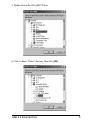
Step1.
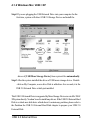
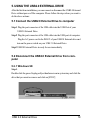
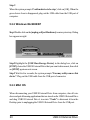
Double click the green Unplug or Eject hardware icon in system tray and click the
drive that you want to remove and click on [STOP]
USB 2.0 External Drive
19