1
Using Hotkeys
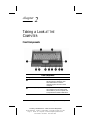
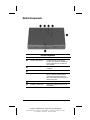
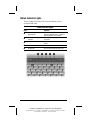
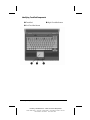
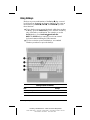
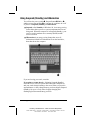
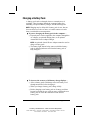
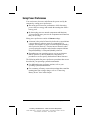
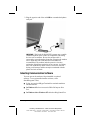
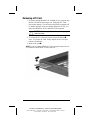
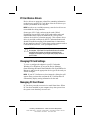
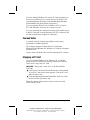
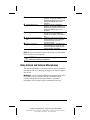
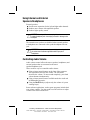
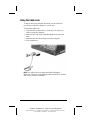
Hotkeys are preset combinations of the Fn key 1 plus a second
key that activate frequently used system functions. The icons on
the function keys F4-F10 2, Fn+T 3, and Fn+Esc 4 represent
these functions.
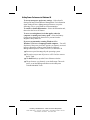
■ To use hotkeys on an external keyboard, which does not have
an Fn key, press the Scroll Lock key twice, then the second key
only of the hotkeys combination. For example, to use the
Fn+F10 hotkeys, press Scroll LockÆScroll Lock+F10.
NOTE: The Fn+F6 hotkeys cannot be used on an external
keyboard connected through a USB connector.
■ To close a window opened with hotkeys, use standard
Windows procedures or press the hotkeys.
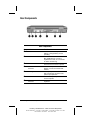
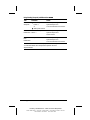
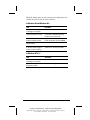
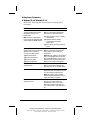
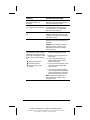
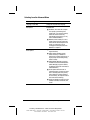
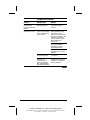
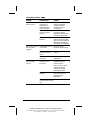
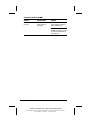
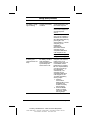
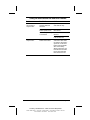
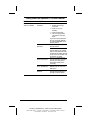
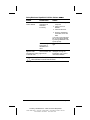
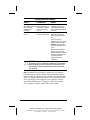
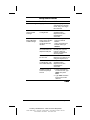
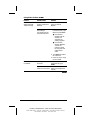
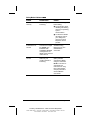
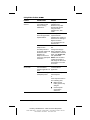
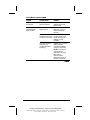
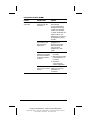
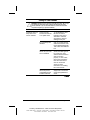
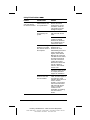
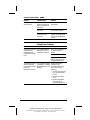
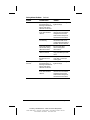
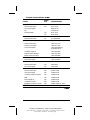
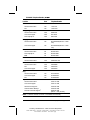
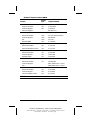
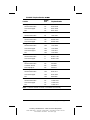
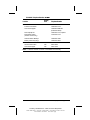
Hotkeys Quick Reference
Task
Hotkeys
Switch the image
Fn+F4
Adjust system volume
Fn+F5
Continued
3-4 Using the Keyboard
COMPAQ CONFIDENTIAL - NEED TO KNOW REQUIRED
Writer: Beth Zanca Saved by: J Abercrombie Saved date: 07/28/99 1:23 PM
Part Number: 141356-001 File name: Ch03