1
L
R4C4590
Rev. C
A5 size
10/30/00
Proof Sign-off:
Takahashi, Kono _______
Takahashi
_______
Hoadley
_______
HANDLE.FM
Pass 1
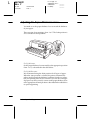
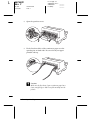
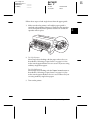
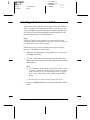
4. Release the sprocket lock levers by pushing them up.
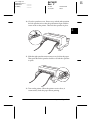
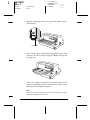
5. Facing the back of the printer, position the left sprocket unit
so that the sprocket pins are to the left of the “0” on the scale
and the arrow mark on the printer. Then push down the lock
lever to lock the sprocket in place.
arrow mark
scale
Note:
Printing starts at the arrow mark on the printer and the “0” mark
on the scale. The unprintable area is to the left of the arrow mark
and the “0”.
2-10
Paper Handling