1
Available Image Aspect Ratios
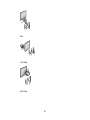
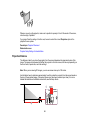
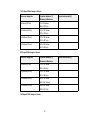
You can select the following image aspect ratios, depending on the input signal from your image source.
Note: When the projector is in 3D mode, the aspect ratio is automatically set to Normal.
Note: Black bands and cropped images may project in certain aspect ratios, depending on the aspect
ratio and resolution of your input signal.
Aspect ratio setting
Description
Auto
Automatically sets the aspect ratio according to the input signal.
Normal
Displays images using the full projection area and maintains the
aspect ratio of the image.
16:9
Converts the aspect ratio of the image to 16:9.
Full
Displays images using the full width of the projection area and
maintains the aspect ratio of the image.
Zoom
Displays images using the full width of the projection area, but does
not maintain the aspect ratio.
Native
Displays images as is (aspect ratio and resolution are maintained).
Note: The Auto aspect ratio setting is available only for HDMI image sources.
Parent topic: Image Aspect Ratio
Color Mode
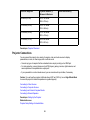
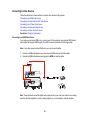
The projector offers different Color Modes to provide optimum brightness, contrast, and color for a
variety of viewing environments and image types. You can select a mode designed to match your image
and environment, or experiment with the available modes.
If you always want to use a particular color mode for a certain video input source, you can select it using
the projector menus.
Changing the Color Mode
Available Color Modes
Turning On Auto Iris
Parent topic: Using Basic Projector Features
57