1
Operation
Switching off the device
► Shut down the operating system in the proper way.
► If the operating system does not automatically switch the device into energy-saving mode or
switch it off, press the ON/OFF switch. Warning, this could lead to a loss of data!
► Switch the device off at the main switch (if present).
The device consumes energy as follows (depending on the power supply of your device):
• Device with alternating voltage socket, monitor socket and emergency on button:
• with activated zero watts function: no energy
• with unactivated zero watts function: low energy
• Device with alternating voltage socket and main power switch: no energy
• Device with alternating voltage socket and monitor socket: low energy
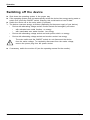
Monitor,
Device,
The main switch and the ON/OFF switch do not disconnect the device
from the mains voltage. To completely disconnect from the mains voltage,
remove the power plug from the power socket.
► If necessary, switch the monitor off (see the operating manual for the monitor).
24
Fujitsu