1
132
| Chapter 6
TIBCO Configuration Tool Wizard Reference
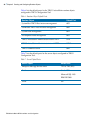
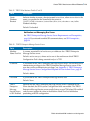
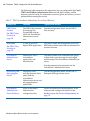
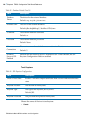
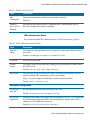
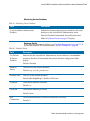
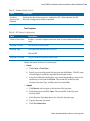
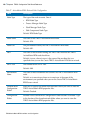
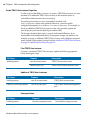
Table 32 LDAP Server Settings (Cont’d)
Field
Description
LDAP Authentication
User DN
Template
The template by which the User DN, used to connect to the LDAP server, is
generated. Because the full DN is always supplied, the template should always be
0 (zero).
Default: uid={0},ou=people,ou=na,dc=org
User
Attributes
Extra
(optional)
An optional list of user attributes to retrieve from the LDAP directory during
authentication.
Enable SSL
Indicate that the LDAP server is enabled for SSL. When checked, the SSL Keystore
Configuration fields are enabled.
Default: Empty (no additional attributes will be retrieved for the user).
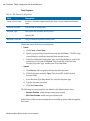
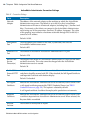
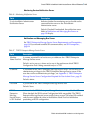
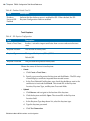
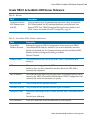
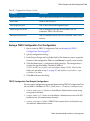
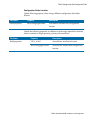
Trust Keystore
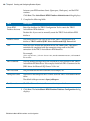
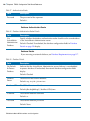
Table 33 SSL Keystore Configuration
Field
Description
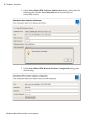
Create a Trust Store...
Invokes a wizard to import certificates from a server and create the trust
store.
Keystore Location
The location of the keystore.
Keystore Type
The type of the keystore: JKS or JCEKS.
Default: JKS.
Keystore Password
The password that protects the keystore.
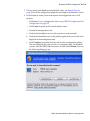
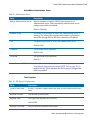
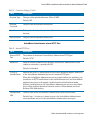
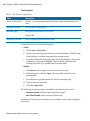
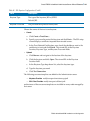
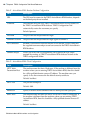
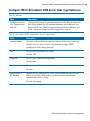
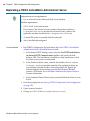
Choose the source of the trust store keystore:
•
Create
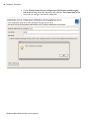
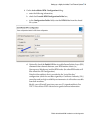
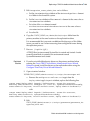
a. Click Create a Trust Store....
b. Specify a password to protect the keystore and click Next >. The SSL setup
wizard displays certificates imported from trusted servers.
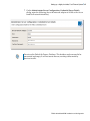
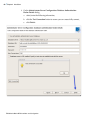
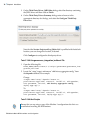
c. In the Trust Selected Certifications area, check the checkboxes next to the
certificates to trust and click Finish. The wizard fills in the Keystore
Location, Keystore Type, and Keystore Password fields.
TIBCO ActiveMatrix BPM Installation and Configuration