1
Chapter 1
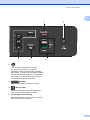
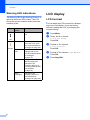
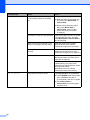
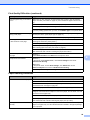
Warning LED indications
The Warning LED (Light Emitting Diode) is a
light that shows the DCP status. The LCD
shows the current machine status when the
machine is idle.
LED
DCP
status
Description
Ready
The DCP is ready for
use.
1
LCD display
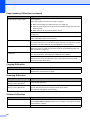
LCD Contrast
You can adjust the LCD contrast for a sharper
and more vivid display. If you are having
difficulty reading the LCD, try changing the
contrast setting.
a
b
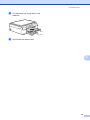
Press Menu.
c
Press a or b to choose
2.LCD Contrast.
Press OK.
d
Press a or b to choose Light or Dark.
Press OK.
e
Press Stop/Exit.
Off
Orange
8
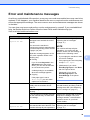
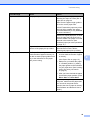
Cover open The cover is open.
Close the cover. (See
Error and maintenance
messages on page 39.)
Cannot
print
Replace the ink
cartridge with a new
one. (See Replacing the
ink cartridges
on page 31.)
Paper error
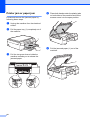
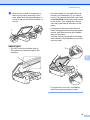
Put paper in the tray or
clear the paper jam.
Check the LCD
message. (See If you
are having difficulty with
your machine
on page 52.)
Other
messages
Check the LCD
message. (See Error
and maintenance
messages on page 39.)
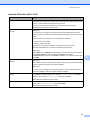
Press a or b to choose
0.Initial Setup.
Press OK.
1
1